
PHP allows you to associate name/label with each array of elements in PHP using => symbol. In such a way, you can easily remember the element because each element is represented by label than an incremented number.
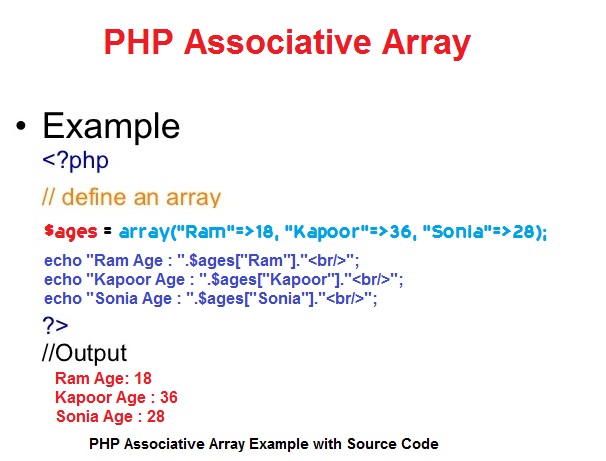
Definition :
There is two Method to define an associative array:
First Method :
$ages=array("Kapil"=>"25","Lakhan"=>"36","Sonia"=>"18"); Second Method :
$ages["Kapil"]="25";
$ages["Lakhan"]="36";
$ages["Sonia"]="18"; File Name :first_associativearray.php
<?php
$ages=array("Kapil"=>"25","Lakhan"=>"36","Sonia"=>"18");
echo "Kapil Age: ".$ages["Kapil"]."<br/>";
echo "Lakhan Age: ".$ages["Lakhan"]."<br/>";
echo "Sonia Age: ".$ages["Sonia"]."<br/>";
?>
Kapil Age: 25
Lakhan Age: 36
Sonia Age: 18
File Name: second_associativearray.php
<?php
$ages["Kapil"]="25";
$ages["Lakhan"]="36";
$ages["Sonia"]="18";
echo "Kapil Age: ".$ages["Kapil"]."<br/>";
echo "Lakhan Age: ".$ages["Lakhan"]."<br/>";
echo "Sonia Age: ".$ages["Sonia"]."<br/>";
?>
Kapil Age: 25
Lakhan Age: 36
Sonia Age: 18
<?php
$ages=array("Kapil"=>"25","Lakhan"=>"36","Sonia"=>"18");
foreach($ages as $key => $ag) {
echo "Key: ".$key." Value: ".$ag."<br/>";
}
?>
Key: Kapil Age: 25
Key: Lakhan Age: 36
Key: Sonia Age: 18

